Buhl, Idaho Secure hosting, AI applications, and hands-on technical support.

Home/Console HDMI & Micro Soldering Repair

PS5 & Xbox HDMI Port Repair

Micro Soldering · Board-Level Repair · Local

No signal? Don't replace the console—replace the port

A bent or broken HDMI port—the plug where the TV cable goes in—is the most common reason a PS5 or Xbox stops showing a picture. And it's completely fixable. Using micro soldering (precision repair of the tiny parts on the circuit board, done under a microscope), we remove the damaged port and attach a new one. Your console, your games, and your saves stay exactly as they were.

  • PS5, PS4, Xbox Series X|S & Xbox One HDMI port replacement
  • Inspected under a microscope—we find and fix all the damage, not just the obvious part
  • Repaired locally—no mailing your console across the country
  • Tested on a real TV before it goes home
Fixed, not replaced Quote before work Saves & games untouched
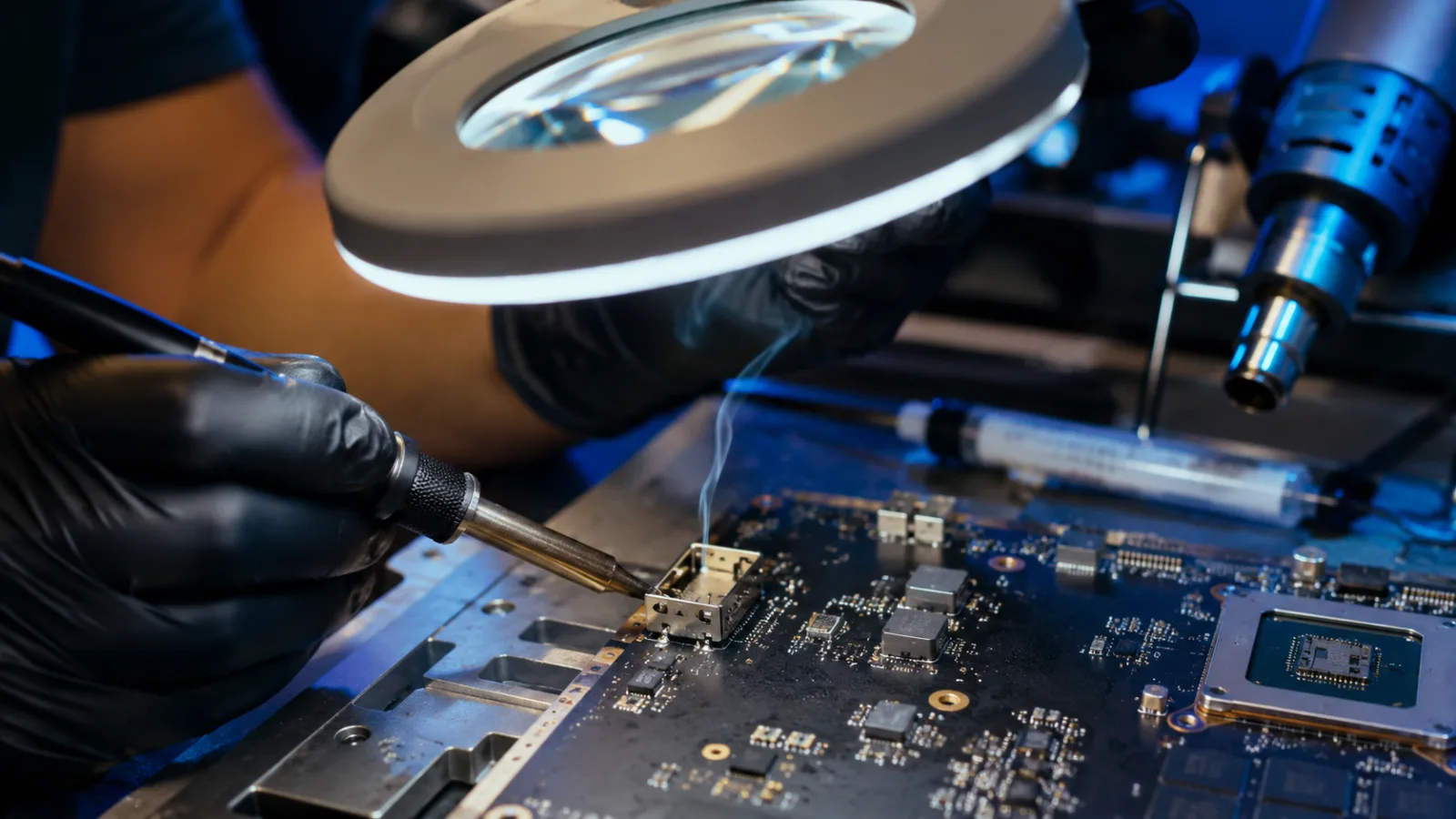
Technician micro soldering an HDMI port on a game console motherboard under magnification

What micro soldering covers

Most shops look at a broken port and say "it needs a whole new board"—the most expensive answer. We repair the tiny part that actually broke, which usually costs far less—and you keep your console and everything on it.

Game console repair

The classic story: a console gets pulled by the cable, knocked off the shelf, or a kid forces the plug—and the screen goes black.

  • PS5 & PS4 HDMI port replacement
  • Xbox Series X|S & Xbox One HDMI port replacement
  • "No signal," flickering, and cutting in-and-out problems
  • Deeper damage to the board itself—not just the port

Other small-part repairs

The same tools and skills work on much more than consoles—if a plug or connector broke, ask before you toss the device.

  • Laptop & tablet charging ports that wiggle or stopped working
  • Broken plugs, jacks, and sockets of all kinds
  • Damage to the circuit board around a broken connector
  • Honest "not worth repairing" answers when that's the truth

How a console repair works

The same process as every TechHand repair: diagnose first, quote second, work third.

Step 1

Inspect & diagnose

We open the console and examine the port and the board around it under a microscope. Different kinds of damage need different fixes—so we find out exactly what broke before promising anything.

Step 2

Clear quote

You get a firm price before any soldering happens. If the damage makes repair a bad investment, we tell you that instead of taking your money.

Step 3

The repair

Using professional micro-soldering equipment, the broken port comes off, the area underneath is cleaned up, and a quality new port goes on—along with any other damage the accident caused.

Step 4

Test & verify

We put it back together, plug it into a real TV, and run it long enough to confirm a steady picture—you take home a proven fix, not a hopeful one.

Why repair beats replacing

Cost

A fraction of a new console

An HDMI port repair costs far less than a replacement console—and unlike buying used, you know exactly what you're getting back.

Your stuff

Saves, games & accounts stay put

It's the same console when it comes back—every save file, installed game, and signed-in account exactly where you left it.

Local

No mail-in roulette

Mail-in repair means shipping costs, weeks of waiting, and a console bouncing through carriers. We're in the Magic Valley—drop it off and talk to the person actually doing the work.

Console showing "no signal"?

Tell us what happened—black screen, flickering picture, or a port that feels loose. We'll find exactly what broke, give you a firm quote, and have you back to gaming without losing a single save.

Our promise: no surprises

You get a clear quote before work starts, honest advice about whether a repair is worth it, and work that's tested and verified before we hand it back. If something isn't right, tell us and we'll make it right.